Introduction
When working with WordPress, being able to upload and manage media files smoothly is crucial for content creation. While media upload issues are common in WordPress, our proactive management means you'll rarely encounter them. This article explains how we handle various media upload challenges to keep your content workflow uninterrupted.
Common Upload Error Messages
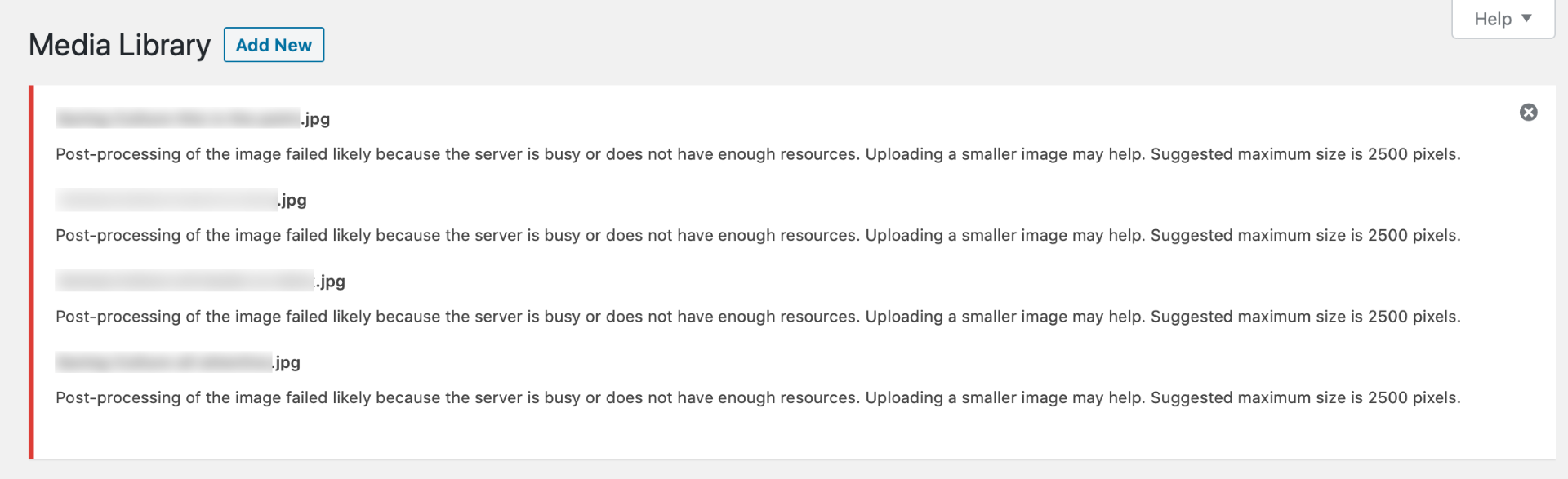
These are typical media upload issues we monitor and resolve:
HTTP Errors
- Generic HTTP error messages during upload
- Failed upload notifications
- Timeout messages
- Server response errors
Directory and Permission Issues
- "Unable to create directory" warnings
- Permission denied messages
- Upload folder access errors
- File system restrictions
Media Library Access Problems
We actively monitor for these media library issues:
- Blank or non-loading media library screens
- Missing image thumbnails
- Inability to view uploaded files
- Gallery display problems
- Media organization difficulties
Storage Management
Our team prevents storage-related upload problems through:
- Proactive disk space monitoring
- Automatic file permission management
- Regular directory structure maintenance
- Efficient backup storage allocation
- Large file handling optimization
Our Automated Solutions
We employ several automated systems to prevent media issues:
- 24/7 storage capacity monitoring
- Automatic image optimization
- Regular permission checks
- Backup space management
- Server resource optimization
How We Handle Media Emergencies
When media upload issues occur, our response includes:
- Immediate issue detection and diagnosis
- Quick implementation of fixes
- Temporary workarounds if needed
- Communication about the resolution
- Post-fix verification
Preventive Measures
Our preventive maintenance includes:
- Automated image compression
- Folder permission monitoring
- PHP configuration optimization
- Server resource management
Signs You Should Contact Support
While we automatically handle media issues, contact us if you notice:
- Persistent upload failures
- Missing images on your website
- Media library not loading properly
- Unusual error messages
- Slow media loading times
Need Help With Media Uploads?
Our expert team is ready to assist:
- Regular support: Available 7 days a week, 9 AM to 5 PM
- Emergency response: 24/7
- Email: support [at] webops [dot] host
- Support tickets: Submit a Ticket
Remember, you never need to troubleshoot media upload issues yourself - our expert team handles all technical aspects of your WordPress media management. If you experience any difficulties uploading or managing media files, simply reach out to our support team for immediate assistance.